English, Spanish, or bilingual copy
Choose the guest-facing language that feels right for the family and celebration.
Quinceanera seating chart
Reunela helps families turn a guest spreadsheet into a polished seating page. Guests scan a QR code, search their name, and find their table in English, Spanish, or both.
Bienvenidos a la celebracion de
Busca tu mesa
Celebration-ready seating
A Quinceanera can have family, friends, court members, and guests across generations. A QR seating page gives everyone a simple path to the right table.
Choose the guest-facing language that feels right for the family and celebration.
Use a portrait, welcome message, and accent color instead of a plain spreadsheet.
Guests search their own name and get one clear answer without scanning a full list.
See the real workflow
These Reunela product captures use synthetic demo guests. They show the organizer view and the private result a guest sees after searching their name.
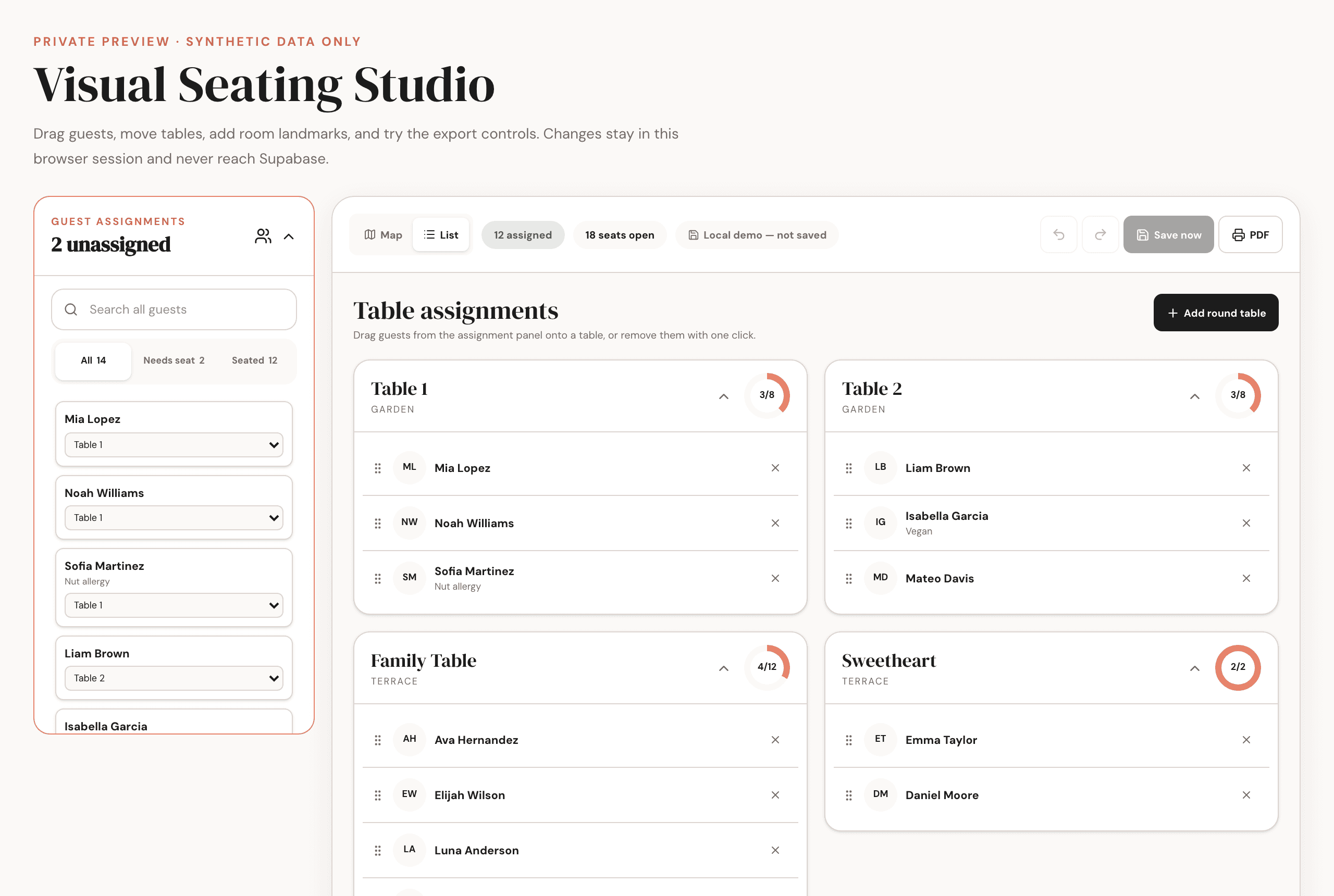
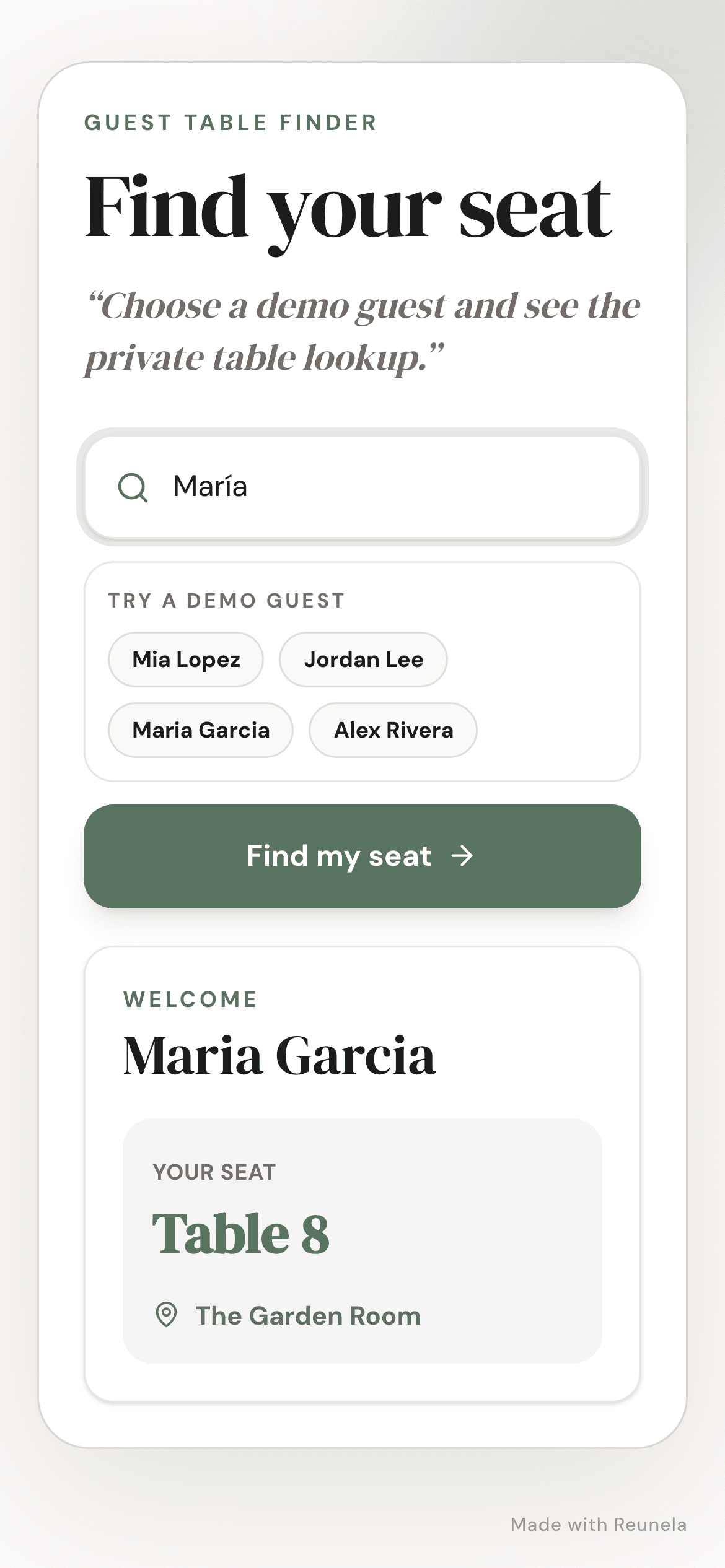
Guest arrival flow
One QR code opens the live guest page.
Guests do not need an app or account.
The lookup checks the published guest list.
The guest receives one clear table or room result.
Bilingual guest flow
Choose English, Spanish, or bilingual copy for the guest-facing page. The lookup stays simple: scan, search, and see the assigned table.
Learn about QR seatingImport names, table assignments, room labels, and optional notes from a CSV.
Add the celebration photo, headline, welcome message, and accent color.
Place one live QR code near the entrance, welcome table, or reception sign.
Common questions
Yes. For Quinceanera events, Reunela supports English, Spanish, or bilingual guest-facing copy.
No. Guests scan the QR code and use the guest page in their phone browser.
Yes. The QR code points to the live page, so you can update table assignments without reprinting the code.
No. Guests search for their own name and receive their own table result.
Build the guest page, test the lookup, and share one QR code when the seating plan is ready.